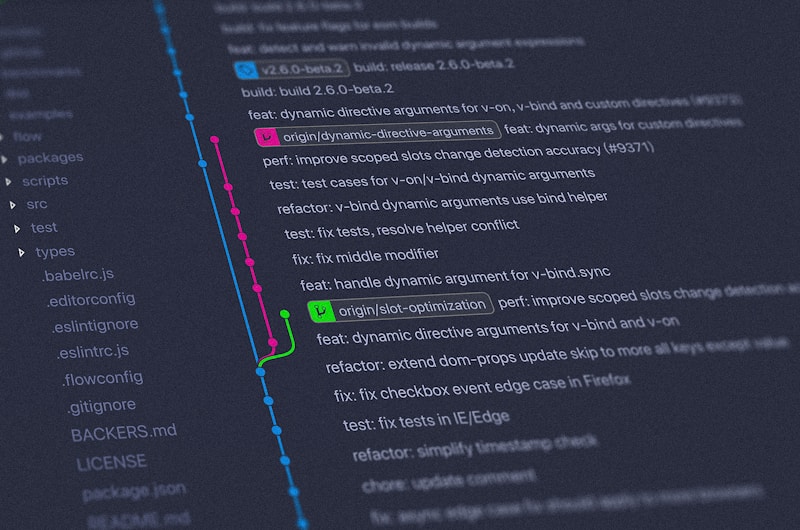
Most Git workflow guides are written for large companies with dozens or hundreds of developers, complex release trains, and dedicated DevOps teams. If you are on a small team — two to five people — a lot of that advice is overkill. You end up spending more time managing branches than writing code.
I have worked on teams of various sizes, and I want to share the Git workflow that actually works when your team fits in a single room.
The Problem with Git Flow
Git Flow was introduced by Vincent Driessen in 2010, and for a while, it was the gold standard. It defines five types of branches: main, develop, feature, release, and hotfix. Each has specific rules about where it branches from and where it merges back.
For a large team shipping versioned software with scheduled releases, Git Flow makes sense. For a team of three building a web application with continuous deployment? It is way too much ceremony.
Here is what happens in practice: you create a feature branch from develop, finish the feature, merge back to develop, then when you want to release, create a release branch from develop, fix any issues there, merge it to main AND back to develop, tag it, and clean up.
For a startup or a small project, this is exhausting. You have two long-lived branches (main and develop) that need to stay in sync, release branches that exist for days or weeks, and a merge process that requires a flowchart to understand.
A Simpler Approach: Trunk-Based Development (Lite)
Here is the workflow I use with small teams. It is simple, safe, and scales surprisingly well:
1. main — always deployable, protected branch 2. feature branches — short-lived (hours to days, not weeks), one per task 3. That is it. No develop branch. No release branches. No hotfix branches.
The key principles:
- Feature branches live for 1-3 days maximum
- Every merge to main goes through a pull request with code review
- Main is always deployable — if it is broken, fixing it is the top priority
- Deploy from main directly (continuous deployment) or tag releases from main
feature/description— new functionalityfix/description— bug fixesrefactor/description— code improvements without behavior changechore/description— tooling, dependencies, configuration- What does this change?
- Why is it needed?
- How can the reviewer test it?
- Any design decisions worth noting?
- Require at least one approval before merging
- Require passing CI checks (tests, lint, build)
- No direct pushes to main — everything goes through a PR
- Squash merge only — keeps main history clean and easy to read
- Auto-delete branches after merge — prevents branch clutter
- main + feature branches + pull requests
- Short-lived branches (1-3 days)
- Squash merges for clean history
- Branch protection with CI checks
- Conventional commit messages
The Daily Flow in Detail
Starting a New Feature
# Always start from an up-to-date main git checkout main git pull origin main
# Create a feature branch with a descriptive name git checkout -b feature/add-search-bar
Branch naming matters. I use this convention:
Working on the Feature
Commit often. Small, focused commits are much easier to review and debug than one massive commit at the end.
# After implementing the search input git add -A git commit -m "feat: add search input component with debounce"# After connecting it to the API git add -A git commit -m "feat: connect search input to post search API"
# After adding loading states and error handling git add -A git commit -m "feat: add loading spinner and error state to search"
# After writing tests git add -A git commit -m "test: add unit tests for search component"
Staying Up to Date
If main has changed while you were working (because a teammate merged their PR), rebase your branch:
git fetch origin
git rebase origin/main
Rebasing replays your commits on top of the latest main. It keeps history linear and clean. If there are conflicts, you resolve them one commit at a time, which is usually easier than resolving a big merge conflict.
Some teams prefer merge instead of rebase. Both work. The important thing is to stay current with main — do not let your branch drift for days without syncing.
Getting Your Code Merged
# Push your branch
git push origin feature/add-search-bar
Create a pull request on GitHub/GitLab. Write a meaningful description:
A teammate reviews the code, leaves comments, you address them, and when approved, squash-merge into main. Squash merging combines all your feature branch commits into a single commit on main, keeping the history clean.
After merging, delete the feature branch. It has served its purpose.
Commit Messages That Actually Help
Good commit messages follow a simple, consistent pattern. I use Conventional Commits:
type: short description (under 50 chars ideally)Optional body with more detail. Explain the why, not the what.
feat: add user search with debounce fix: prevent duplicate form submissions on slow networks refactor: extract email validation into shared utility docs: update API endpoint documentation for v2 chore: upgrade Spring Boot from 3.2 to 4.0 test: add integration tests for payment processing style: fix indentation in UserService perf: add database index for post search queries
The prefix tells you what kind of change it is without reading the diff. Keep the description under 50 characters when possible. If you need to explain more, add a body separated by a blank line.
Bad commit messages I see constantly:
# Too vague "update" "fix bug" "changes" "WIP"
# Too long "Fixed the bug where users could not log in because the JWT token expiration was set to 0 instead of 3600 seconds and also updated the refresh token logic"
When Things Go Wrong
Git is powerful, which means it is also powerful at making a mess. Here are the situations I see most often and how to fix them.
You Committed to Main by Accident
# Undo the commit but keep the changes git reset HEAD~1# Now create a proper feature branch git checkout -b feature/the-thing-i-was-working-on git add -A git commit -m "feat: the thing I was working on" git push origin feature/the-thing-i-was-working-on
# Fix main (if you already pushed, you will need force push — coordinate with team) git checkout main git reset --hard origin/main
You Need to Undo Your Last Commit
# Undo commit, keep changes staged git reset --soft HEAD~1# Undo commit, keep changes unstaged git reset HEAD~1
# Undo commit AND discard all changes (CAREFUL — this is destructive) git reset --hard HEAD~1
Merge Conflicts
Do not panic. Merge conflicts are normal and usually not as bad as they look.
1. Open the conflicting file
2. Look for the <<<<<<< markers:
<<<<<<< HEAD
// Your version
const timeout = 5000;
=======
// Their version
const timeout = 10000;
>>>>>>> feature/other-branch
git add resolved-file.java
git commit -m "resolve merge conflict in timeout configuration"
Tip: if conflicts scare you, use a visual merge tool. VS Code has good built-in conflict resolution. IntelliJ's is even better.
You Made a Mess and Want to Start Over
# Nuclear option: discard ALL uncommitted changes git checkout -- .
# Or reset to the last known good state git stash # Save changes just in case git checkout main git pull origin main git checkout -b feature/fresh-start
Pull Request Best Practices
PRs are where code quality is maintained. Here is what works:
Keep PRs small. Under 400 lines of changes is ideal. Large PRs (1000+ lines) get rubber-stamped because reviewers lose focus. If your feature is big, break it into sequential PRs.
Write a good description. What changes, why it changes, and how to verify. Screenshots for UI changes. Links to related issues.
One PR = one concern. Do not sneak in unrelated refactoring, dependency updates, or "while I was here" fixes. They make the PR harder to review and harder to revert if something goes wrong.
Review within 24 hours. Stale PRs kill momentum. If someone opens a PR in the morning, review it before end of day. The author's context fades quickly.
Be constructive in reviews. "This is wrong" is not helpful. "This could cause a null pointer if the user has no email — consider adding a null check here" is helpful.
Branch Protection Rules
Even on a team of two, protect your main branch:
These rules take five minutes to set up on GitHub and prevent hours of headaches.
CI/CD: Automate What You Can
At minimum, your CI pipeline should: 1. Run on every PR 2. Build the project 3. Run all tests 4. Run the linter 5. Report results back to the PR
A simple GitHub Actions workflow:
name: CI
on:
  pull_request:
    branches: [main]
jobs:
  build:
    runs-on: ubuntu-latest
    steps:
      - uses: actions/checkout@v4
      - uses: actions/setup-java@v4
        with:
          java-version: 21
          distribution: temurin
      - run: ./mvnw verify
If all checks pass and the PR is approved, merge with confidence.
The Takeaway
Git is a tool, not a religion. Use the simplest workflow that keeps your team productive and your code safe. For most small teams, this means:
That is it. No develop branch, no release branches, no complicated merge ceremonies. Ship code, ship it often, and keep main always deployable.
When your team grows to 10+ people and you need versioned releases, then consider something more structured. Until then, keep it simple.
